maandag 14 december 2009

Flash animation sample


Some of you have asked me to upload a character animation I showed last week in class, here is the .fla which you can download and study. This is just to give some ideas on how to organise your assets in Flash and prepare the animation.

Please keep in mind that this is only one way, ( and probably not the easiest), to approach your character animation, but it can give you a jump start in getting started. All the elements, face, eyes, etc, were drawn in Illustrator and then imported in Flash, Ctrl-Cmnd r.

If you prepare your visuals in Photoshop you have to save each element as .png format with transparent background, then import it in Flash.

Any questions, post them here!

vrijdag 11 december 2009

The size of your animation

Important:
The size of your animation needs to be 1050 wide x 576 high. This is the wide screen format,(sexy!), in After Effects you will find it if you make a new composition and choose under the presets menu PAL D1/DV Widescreen Square Pixel.
In Flash you just need to chnage the stage size in the properties panel.

Any questions, just post them here...:)

Lego Rocks!


Who needs 3d when you can do it with a box of lego and stop motion animation??

donderdag 10 december 2009

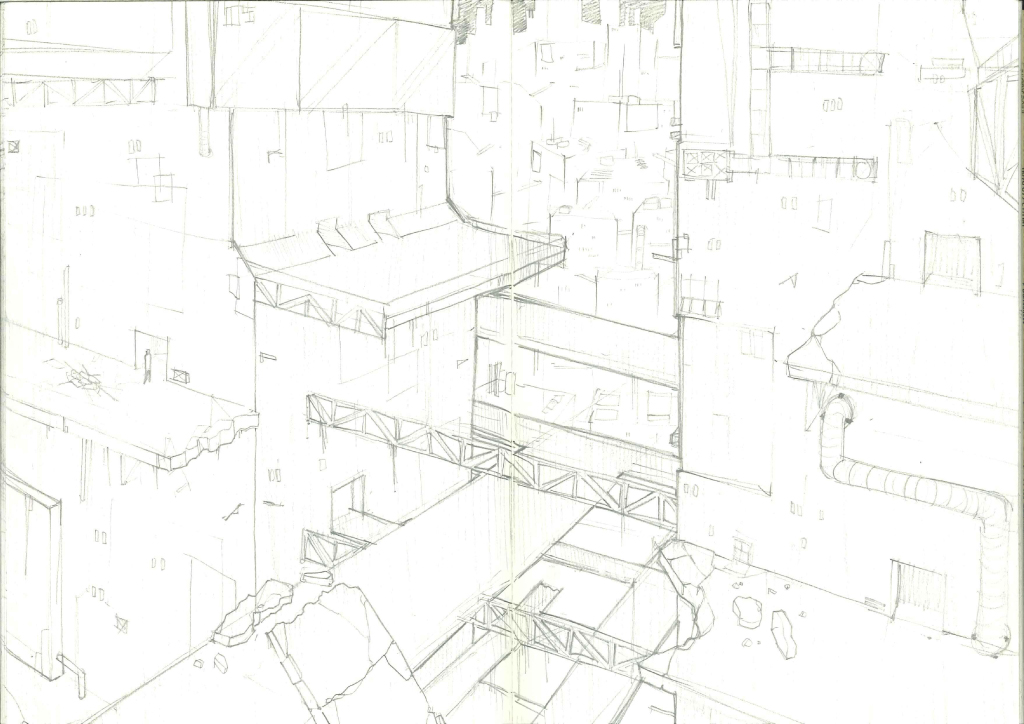
preview architectural sketches


preview of the architectural setting for my interior shots..

the orange background will get a detailed futuristic city with flying rockets!

Gorillaz fan


Thank you all for showing your work yesterday, is getting exciting!, i will post more tips and comments later about the planning, in the meantime this Gorillaz fan video is interesting for our project because it combines hand drawn lines, photoshop color retouches to the characters, and a simple use of architecture backgrounds to make the animation less static....even if you don't like the music, the way the animation is set up, drawings in photoshop then imported in after effects with few animated elements and masks, the result is quiet charming and effective..:)

zondag 6 december 2009

Been thinking a lot about how you all can take your storyboard to the next level...I know we're all very busy and can't wait for the Christmas holidays but before we slip into our slippers and pijamas if you put in the efforts now you will be rewarded at the end, and your product will be radiating light into the faces of unsuspecting possible employers...;)

This is a selection of tutorials of After Effects = think Photoshop but with motion, and Flash = turbo animation tool, from the very helpful computerarts.co.uk site, please take your cup of coffee and sit down to do some of these tutorials, all cover essential aspects of producing your animation, download the files and just follow the instructions, you'll be amazed how quickly you can get your animated project up and running. These are meant to get you going with these software programs, if you want to take another approach, we can discuss it in class next wednesday....

ANIMATE YOUR CHARACTERS IN AFTER EFFECTS: download files here
CREATE AN ANIMATIC IN AFTER EFFECTS: download files here
ANIMATE SCENERY IN AFTER EFFECTS:download files here
MAKE LIP SYNCHING EASY IN FLASH: download files here
STOP FRAME ANIMATION: (Hands on approach!!!) download files here

If you have any comments, just post them here, in the meantime, have fun!!

woensdag 2 december 2009

Storyboard

My storyboard for now can be found on: http://www.flickr.com/photos/thedonaldman2009/sets/72157622797724733/